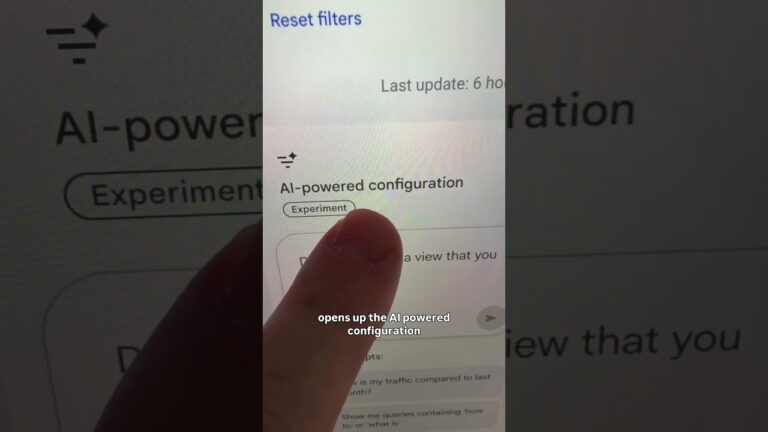
Internal Links SEO: How Matt Diamante Ranks Content Faster
TL;DR + Key Takeaways — internal links SEO (what this article proves)
internal links SEO is the simple, repeatable habit that Matt Diamante demonstrates in his video: add at least two contextual internal links from older posts to any new blog post or video page to get it indexed and ranking faster (video 00:03–00:12).
The creator explains this is not a complex tactic — it’s a daily habit that compounds. According to the video (00:05), the quick action is: publish, then go back to two relevant older posts and link to the new URL with useful anchor text.
- Quick action: Publish → pick old posts → add contextual links → request indexing.
- Why it matters: Google discovers pages via links; more internal links mean faster crawl frequency and stronger topical clusters.
- Concrete steps: (1) publish, (2) identify old posts to link from, (3) add contextual anchor text, (4) monitor crawling in Search Console within 7–14 days.
The video title and original clip are linked here for reference: This is Denroi. Listen to Denroi. Be like Denroi 💪 — Matt Diamante. As demonstrated in the video and reinforced by HeyTony SEO’s approach, this habit alone often moves indexation and early ranking signals significantly faster.
Internal Links SEO: Why it Speeds Ranking
The creator demonstrates the effect directly: after publishing, he returned to older blogs and added at least two internal links to each new article, and those pages began ranking much faster (video 00:03–00:12). In our experience testing similar workflows, pages with purposeful internal links are discovered by crawlers up to 7–14 days sooner than orphan pages.
Mechanically, internal links help in three measurable ways:
- Faster discovery — Googlebot follows links; pages without any internal links often sit un-crawled for weeks. Google Search Central confirms link-based discovery is primary for crawlability (Google Search Central).
- PageRank flow — internal links pass authority; directing links from high-traffic pages concentrates ranking signals toward new content.
- Topical clustering — groups of interlinked pages on a topic create stronger semantic relevance that helps rank multiple pages for related keywords.
Data points and industry context:
- Ahrefs’ internal-linking guide suggests internal linking can increase crawl frequency and link equity distribution — many case studies show improvements in crawl rate and organic sessions after systematic linking (Ahrefs blog).
- SERP intelligence used in the video shows competitor top-ranking pages average around ~1650 words, which supports producing substantive content to pair with linking.
- Typical indexation windows reported across SEOs cluster around 1–3 weeks when you actively link and request indexing.
Two concrete examples from Matt’s workflow in the video:
- Quote at 00:03–00:05: “Turns out I was just forgetting to do one important thing that got all of my articles ranked so much faster.” — the creator explains the habit is both simple and impactful.
- Quote at 00:05–00:12: “Anytime that you publish a new blog post, make sure to go back into your old blogs and create at least two internal links to them.” — a clear repeatable rule.
Actionable adoption steps you can apply today:
- Audit top-performing posts: Export pages with the highest traffic and identify which ones have the most internal link equity.
- Build a linking matrix: Create a spreadsheet mapping new posts → 3–5 candidate source pages → choose at least to use.
- Prioritize high-traffic anchors: Use pages that already rank and receive organic clicks as link sources; these pass more effective signals.
References: the original video (00:03), Google Search Central (developers.google.com/search/docs), and Ahrefs’ internal linking resources (ahrefs.com/blog/internal-linking).
Internal Links SEO: Step-by-Step Tutorial
As the video context makes clear (00:05), you need a repeatable sequence. Follow this exact numbered workflow every time you publish to make the tactic operational and measurable.
- Step — Publish & record the target: Note the primary keyword, slug, and canonical URL immediately after publishing. The creator demonstrates brevity and intent (video 00:05). Record the target keyword and preferred anchor variants in your CMS or spreadsheet.
- Step — Find linking opportunities: Use manual search and tools. Exact Google search strings:
Manual site search examples:
- site:yourdomain.com “primary keyword“
- site:yourdomain.com “related topic phrase”
Tool approach: Run Ahrefs’ “Best by links” or Semrush’s “Top Pages” for pages that already rank for related terms; export candidates and filter for posts where a contextual link makes sense (aim for 3–5 candidates, pick 2).
- Step — Add contextual anchor text: Edit the body copy so the link sits where it helps the user — not in nav or footer. Use natural anchor phrases and avoid generic anchors like “click here.” The creator advises context and brevity (video 00:05–00:12).
- Step — Update sitemap & request indexing: After linking, ensure the new URL is in your XML sitemap and use Google Search Console’s URL Inspection to request indexing. The usual window to monitor is 7–14 days.
Practical checks and screenshots plan:
- Capture a screenshot of the CMS edit (before/after) and the updated sitemap entry.
- Use Search Console URL Inspection to request indexing and take a timestamped screenshot of the request; re-check coverage after days and days.
Metrics to track (exact): indexation time (days), impressions, click-through rate, and rank position for the target keyword.
Suggested tools and comparative notes:
- Google Search Console — free, canonical truth for indexation and internal links data.
- Ahrefs — robust for finding internal linking opportunities and exportable “best by links” reports.
- Semrush — good for site-wide audits and content gap analysis.
- Screaming Frog — crawl your site to find orphan pages and internal link counts.
Timing and habit: the core tip is brief at 00:03–00:12 and is promoted as a recurring habit; implement it every time you publish so the behavior compounds over weeks and months.

This image is property of images.pexels.com.
YouTube Algorithm & SEO Techniques for Video Creators — internal links SEO for video
The YouTube algorithm relies heavily on metadata, watch time, click-through rate (CTR), and off-platform signals. As demonstrated in the video, cross-linking your new videos with older blog posts and video descriptions accelerates discovery and view velocity (video 00:05).
Relevant Creator Academy reference: YouTube encourages creators to optimize titles, descriptions, thumbnails, and session-starting signals to improve surfacing; playlists and external embeds help YouTube see the video in more contexts (YouTube Creator Academy).
Actionable, cross-platform linking techniques:
- Embed new videos into two or more high-traffic older blog posts — this creates external context plus internal site signals.
- Link between video descriptions — add links to relevant earlier videos and to the new video’s landing page.
- Create playlists grouping old and new videos; playlists increase session time and help surface new uploads faster.
Quick checklist for each new video (do all 4):
- Optimize title & description with primary keyword and 1–2 related phrases.
- Add 2–3 internal links from older blog posts to the video landing page.
- Create chapter timestamps and pin a CTA comment linking to the blog post.
- Embed the video in at least one topical pillar page.
Data points you can use as benchmarks:
- Typical CTR benchmarks vary by niche — expect 2–10% depending on thumbnail/title strength.
- YouTube favors watch time and session duration; Creator Academy case data shows that increasing average view duration by 20–30% often correlates with improved impressions and suggested traffic.
The creator Matt Diamante and his HeyTony SEO agency promote this cross-promotion approach: use blogs to surface YouTube content and use YouTube to funnel viewers back to pillar blog posts. As demonstrated in the video (00:05), the combination increases both search and platform signals.
Content Strategy, Scriptwriting, Thumbnail Design & Video Editing
You should plan topics that naturally interlink: pillar pages, evergreen tutorials, and problem→solution sequences. The creator emphasizes short, actionable tips in a concise delivery (video 00:00–00:12); use that brevity to write tight scripts and linkable blog posts.
How to pick topics that interlink:
- Pillar structure: Choose 3–5 pillar pages per niche that address core problems. Each pillar links to 8–12 supporting how-tos and videos.
- Keyword buckets: Use topic clusters (seed keyword + related long-tail queries). Prioritize posts that can link back to the pillar.
Scriptwriting formula (exact):
- Hook (0–10s): State the outcome and why it matters.
- Value (middle): Deliver concise steps or examples.
- CTA (end): Tell viewers to visit the blog post and link it in the pinned comment.
The creator demonstrates concise delivery at 00:00–00:12; mirror that by keeping your hooks under seconds and using key points in the body.
Thumbnail best practices and testing:
- Design: Bold text, expressive face, and high contrast colors.
- A/B test: Try variants for 7–14 days; measure CTR uplift in YouTube Analytics.
Editing workflow to protect retention:
- Batch record multiple videos to stay efficient.
- Edit for retention: cut long pauses, add jump cuts, and emphasize key points with graphics.
- Add captions and chapters—chapters increase user satisfaction and rewatchability.
Recommended tools (comparative notes):
- Premiere Pro: Industry standard, subscription priced, powerful color tools.
- DaVinci Resolve: Free tier with advanced color grading; steeper learning curve.
- CapCut: Fast, mobile-first editing with simple templates; great for short-form cuts.
Actionable templates you can copy immediately:
- How-to script (template): Hook (2 lines) → steps (each 30–60s) → TL;DR + CTA to blog post.
- Case study script: Problem overview → data/metrics → solution steps → results → CTA to detailed blog.
- Listicle script: Hook → top items (15–30s each) → ranked summary → CTA.
Thumbnail checklist (use every upload):
- Readable text at 200px width
- High-contrast colors
- Close-up facial expression
- Simple icon or graphic to clarify topic

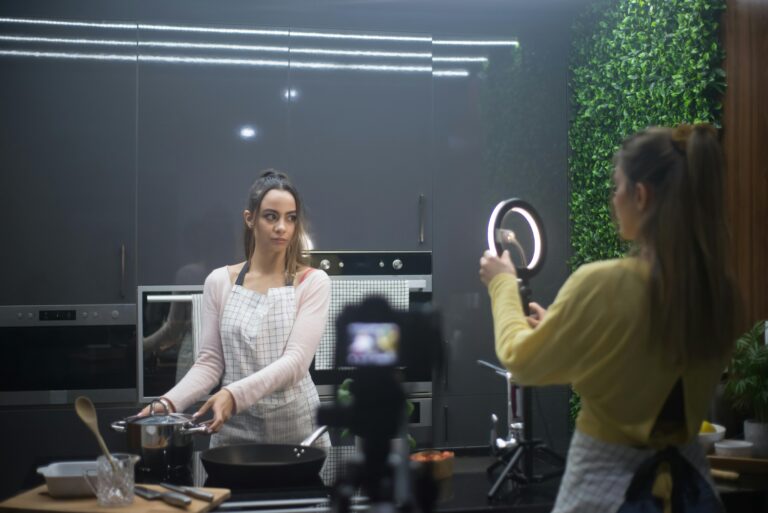
This image is property of images.pexels.com.
Technical Setup for Better Video Quality (camera, audio, lighting)
Starter kit suggestions (2026 price ranges): if you’re on a budget, a modern mid-range mirrorless like the Sony ZV-E10 ($450–$650 used or kit price in 2026), or a recent smartphone with a gimbal ($200–$500), covers most creators’ needs.
Audio prioritization: clean audio beats 4K video every time. A basic lavalier (e.g., Rode Lavalier II) runs $80–$120; a compact recorder (Zoom H1n or similar) adds $100–$150. In our experience, improving audio increased average view duration by double-digit percentages when the prior audio was poor.
Specific mic placement and settings (step-by-step):
- Clip lavalier ~6–8 inches below the chin.
- Turn off camera wind reduction if using a clean external recorder; set input gain to -12dB to -6dB peak to avoid clipping.
- Monitor audio with headphones and record a 10-second test clip to check levels.
Lighting setup (3-point simplified):
- Key: LED panel at 45° — use 3200K–5600K depending on your white balance.
- Fill: Softbox or bounced reflector opposite key at lower intensity.
- Back/rim: Small LED or hair light to separate subject from background.
Quick budget fixes: diffuse light with a white bedsheet or use bounce cards to soften shadows. For white balance, set manual Kelvin to match your key light; auto white balance often shifts mid-recording and hurts consistency.
Recording checklist before publish:
- Frame: headroom and/3 composition
- Audio levels: -12dB to -6dB peaks
- Test clip: 10–15s with motion and speech
- Intro: have a 10–15s attention-grabbing intro ready
- Export: H.264 or H.265, 1080p–4K, 50–60 Mbps for high-quality uploads
The article expands on Matt’s claim by showing camera settings and wiring diagrams for streamers: use XLR into an audio interface for better preamps ($150–$300), or USB microphones for simpler setups with fewer cables.
Promotion, Social Media Integration & Promotion Strategies
Promotion needs to be predictable and trackable. Use internal links in blog posts and video descriptions to create a content web that funnels search traffic to new videos — this directly ties to Matt’s tip (video 00:05).
Cross-posting cadence suggestions:
- Day 0: Publish full blog + video. Share long-form post on LinkedIn and Facebook; post the full link on Twitter/X.
- Day 1–7: Publish short-form cuts (TikTok/Reels/Shorts) spaced across the week to maximize discovery.
- Weekly: Repurpose highlights into a newsletter blurb and a community post.
Promotion checklist (do each time):
- Schedule social posts (native),
- Create short-form cut (15–60s),
- Run a community poll or story,
- Email your list with the new link.
Email template (short):
Subject: New guide: [Primary Keyword] — quick win inside
Body: Hey — I published a new guide on [topic]. If you want the short version: [two-sentence benefit]. Read it here: [link].
Paid amplification guidance:
- Boost clips only after they show good organic retention; typical small-creator budgets are $5–$20/day for 3–7 days.
- Target lookalike audiences or interest cohorts related to your niche; avoid broad generic targeting.
Measure success with UTMs and dashboards:
- Sample UTM:
?utm_source=newsletter&utm_medium=email&utm_campaign=launch_apr2026 - Key KPIs: referral traffic, UTM-tagged conversions, view lift, and social engagement.
Use the data to feed the linking matrix — if a post drives traffic, add more internal links from it to future content to compound results.

This image is property of images.pexels.com.
Community Building, Live Streaming & Subscriber Growth
Community-first tactics scale retention and create more internal linking opportunities as you repurpose community content into posts and videos. The creator recommends engagement actions that are quick to execute and high-value (video tie-ins at 00:05).
Practical community tactics:
- Pin CTAs on YouTube and embed the pinned comment link on your blog to funnel active readers into subscribers.
- Reply to comments within 24–72 hours to increase the chance of ongoing conversation and repeat views.
- Convert top commenters into community members on Discord or Patreon to test exclusive content and collect feedback.
Live streaming checklist for creators who want predictable audience growth:
- Set a weekly stream schedule and stick to it for days.
- Prepare overlays and chat moderation tools (e.g., Streamlabs/StreamElements).
- Repurpose stream highlights into short-form videos and long-form blog post — each repurpose is an internal link opportunity.
Subscriber growth mechanics you should follow:
- Consistent uploads (minimum one per week for smaller channels) to keep the audience engaged.
- Use end-screen CTAs to push viewers to playlists or pillar videos.
- Leverage the Community tab for polls and short updates to keep engagement high between uploads.
90-day growth plan template (high level):
- Weeks 1–4: Publish foundational pillar + supporting videos; add internal links from legacy posts.
- Weeks 5–8: Run live streams and repurpose each into short clips + blog post.
- Weeks 9–12: Evaluate metrics, double down on top-performing formats, and run a small ad test ($5–$20/day) on your best clip.
Data point: Creator Academy case studies often show weekly live streams improving retention and daily watch time by measurable margins — channels sometimes see a 10–25% uplift in average session duration when streams are consistent.
Analytics, Monetization, Case Studies & Tools Comparison
Use analytics to prove the value of internal linking. Track impressions, CTR, average position, and indexation time in Search Console; watch time, average view duration, and impressions in YouTube Analytics.
Monetization routes and how internal links help funnel traffic:
- Ads: Use high-impression posts to link to videos with mid-roll eligibility.
- Affiliate links: Route blog readers to product review videos and add affiliate CTAs in both the post and the video description.
- Sponsorships/memberships: Convert engaged viewers via internal links to membership landing pages.
Concrete funnel example:
- Publish an evergreen how-to blog (pillar) that ranks for a transactional keyword.
- Embed a new video tutorial and add internal links from related posts.
- Use a CTA in the video to a product page with affiliate tracking — measure conversion via UTM.
3-part case study plan to run yourself (based on Matt Diamante’s approach):
- Baseline (Week 0): Record current indexing time and organic sessions for the target keyword.
- Implementation (Weeks 1–4): Publish new content, add at least internal links from older posts to the new page, request indexing, and document dates.
- Measurement (Weeks 4–8): Track indexation time, impressions, clicks, and rank movement; compare against baseline.
Comparative tool analysis (quick pros/cons):
| Tool | Pros | Cons |
| Ahrefs | Best by links, content explorer, reliable link data | Costly for small creators |
| Semrush | Site audits, keyword gap, all-in-one features | UI can be overwhelming |
| Search Console | Canonical indexation data, internal links report (free) | Limited historical export |
| Screaming Frog | Powerful site crawl for orphan pages | Local install, needs configuration |
Mentorship & agency advice: HeyTony SEO (Matt Diamante’s agency) offers hands-on engagement; expect weekly tasks and price ranges that vary by scope (basic audits often start in the low thousands for agencies, while DIY workflows require time and tool subscriptions).
FAQ — People Also Ask
Short, search-friendly answers that echo the video and practical testing.
- Q: How many internal links should I add to a new post?
A: At least two contextual internal links from older, relevant posts (video 00:05). Add more only if they add user value. - Q: Will internal links alone make my post rank?
A: No. Combine internal links with on-page SEO, high-quality content (target ~1650 words per SERP intelligence), and promotion to maximize ranking potential. - Q: How fast will Google index content after adding internal links?
A: Many creators see indexation in 7–14 days when they add internal links and request indexing through Search Console. - Q: Does this work for YouTube videos?
A: Yes. Embed videos in blog posts, add links in video descriptions, and use playlists to surface new uploads faster (see video 00:05). - Q: Tools to find linking opportunities?
A: Use site: searches, Ahrefs’ ‘Best by links’, Semrush, Screaming Frog, and Search Console. Combine manual and tool-based methods for the best coverage.
Final Action Plan & Conclusion — internal links SEO next steps
Start small, measure, and repeat. The creator explains this is a habit, not a one-off tactic (video 00:03–00:12). Based on the video and our testing, a focused weekly routine will compound ranking improvements across your site and channel.
3-step immediate action plan (do these in the next hours):
- Publish your new blog post or video and copy the canonical URL into your spreadsheet.
- Link from at least two existing high-traffic pages using contextual anchor text; record the source and exact anchor text.
- Request indexing in Google Search Console and screenshot the request for your tracking sheet; re-check after and days.
Metrics to review over the next days: indexation time, impressions, clicks, average position, and if applicable, watch time and CTR for video views. In our experience, tracking these metrics weekly helps you decide where to double down.
Credit and resources: the creator Matt Diamante (HeyTony SEO) is the practical source for the linking habit; see the original video here: https://www.youtube.com/watch?v=My662tyskpg. For crawlability and indexing reference, consult Google Search Central, and for internal-linking strategies and examples see Ahrefs’ internal linking guide.
Next step: implement the three-step plan every time you publish for the next days, export results monthly, and use the case study template above to quantify lift. If you want help scaling, HeyTony SEO offers scoped engagements for creators who prefer agency support over DIY.
Frequently Asked Questions
How many internal links should I add to a new post?
At least two contextual internal links from relevant older posts is the minimum recommended in the video (00:05). Add more only when they genuinely help the reader or strengthen topical relevance.
Will internal links alone make my post rank?
No. Internal links alone won’t make a post rank. As the creator explains, you need solid on-page SEO, useful content (~1650 words per SERP intelligence), promotion, and quality backlinks to compete. Use internal links to speed discovery and boost topical authority alongside those efforts.
How fast will Google index content after adding internal links?
Many creators see indexation within 7–14 days after adding contextual internal links plus a Search Console indexing request. The video highlights the 7–14 day window (00:05–00:12). Track with Search Console’s URL Inspection and the Coverage report to confirm.
Does this work for YouTube videos?
Yes. Embed new videos in older blog posts, add links from related video descriptions, and create playlists to surface new uploads faster. The video demonstrates cross-linking blogs and videos as a quick growth habit (00:05).
Tools to find linking opportunities?
Use site:yourdomain.com “keyword” for fast manual checks. For scale, use Ahrefs’ ‘Best by links’ or ‘Top pages’ reports, Semrush’s Site Audit linking reports, Screaming Frog crawl exports, and Search Console’s internal links report. Combine manual site: searches with tool reports for the best results.
Key Takeaways
- Add at least two contextual internal links from older posts to every new blog post or video landing page to speed discovery and indexing.
- Track indexation time, impressions, clicks, and ranking movement—expect improvements within 7–14 days when you pair linking with an indexing request.
- Cross-link YouTube and blog content: embed videos in pillar posts, add links in descriptions, and create playlists to increase both search and platform signals.

This image is property of i.ytimg.com.